Azure Blob Storage
It’s an Azure service that stores large amounts of unstructured data, such as very large binary files, as BLOBs.
Blobs are a very efficient way to store files in the cloud and let several applications read and write them through the APIs the service provides.
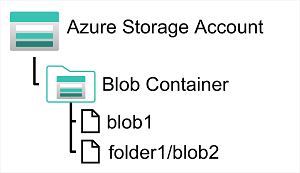
Blobs are stored in containers. A container defines a kind of logical grouping of blobs, and it also controls who can write and read the BLOBs inside it. Authentication can be done with Microsoft Entra ID or with an API key.
Inside containers, BLOBs can be organised into virtual folders. You can’t run operations on these folders: they are only virtual and define the access path to the file.
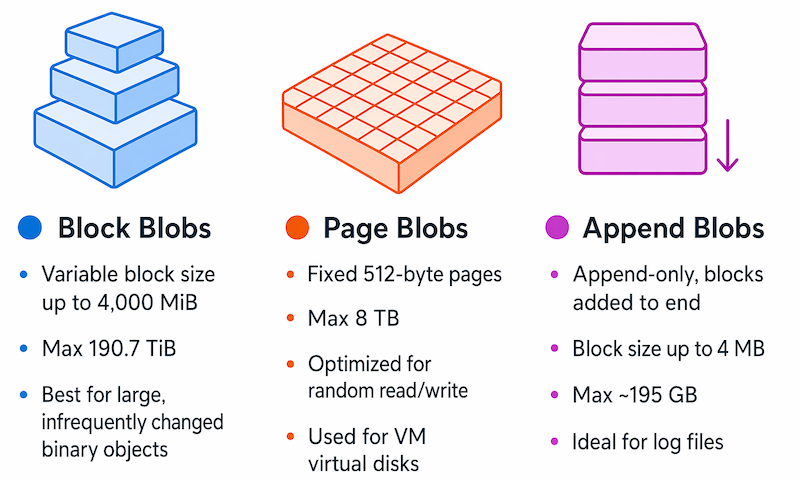
Azure Blob Storage supports 3 types of BLOB:
- Block BLOB - The BLOB is handled as a set of blocks. Each block can vary in size and is the smallest unit that can be written or read. It’s used for files that change little over time.
- Page BLOB - The BLOB is organised as a collection of 512-byte pages. These BLOBs are optimised for random read and write operations: individual pages can be read and written.
- Append BLOB - The BLOB is handled as a block BLOB optimised for append operations. You can only add data at the end; editing and deleting are not allowed.
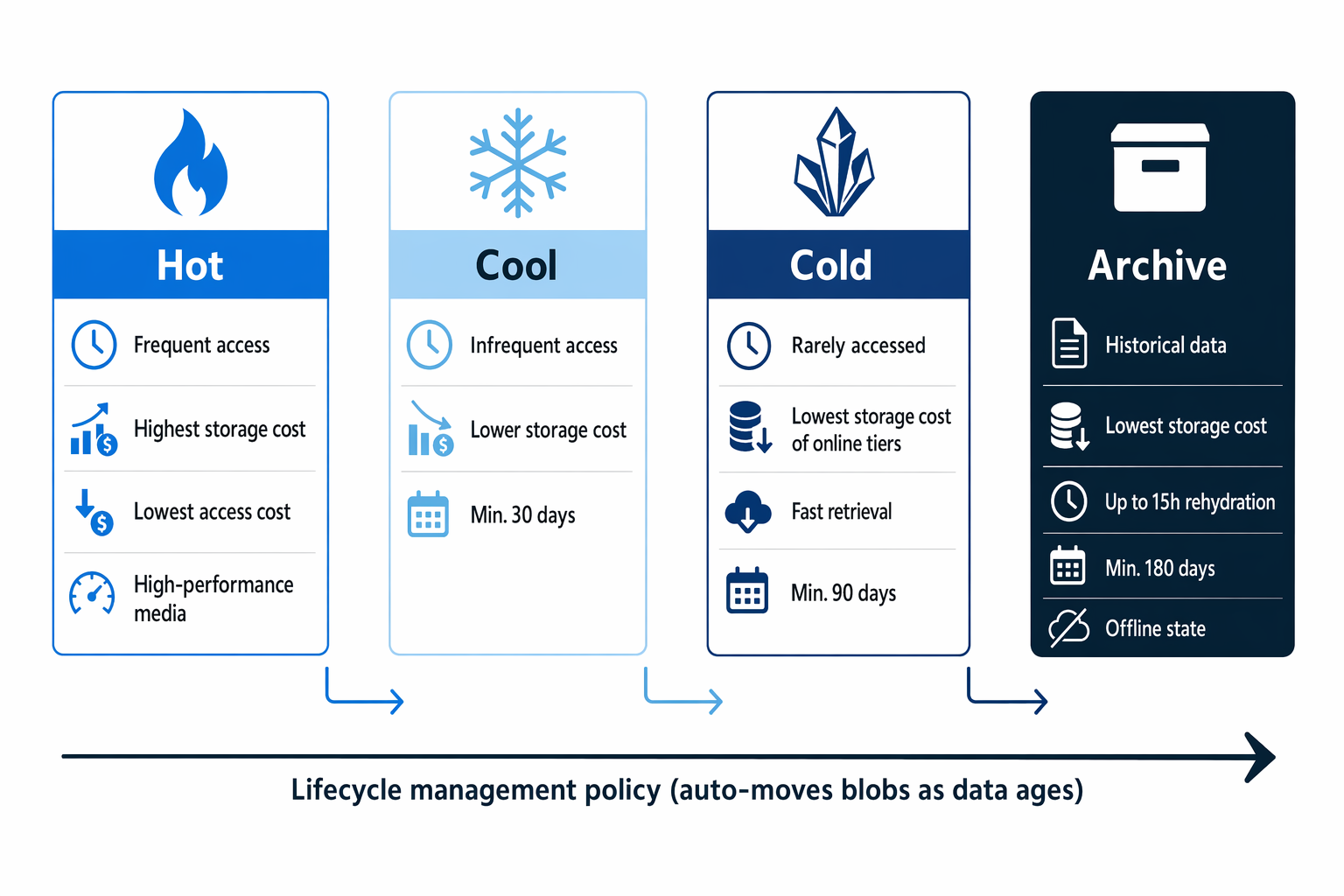
Each blob storage offers 4 access tiers to balance latency and costs:
- Hot - for blobs that are accessed frequently.
- Cool - for blobs that are accessed infrequently. Storage costs less than Hot, but reading costs more. Keep in mind that deleting a blob in this tier before 30 days incurs an early deletion cost.
- Cold - for blobs that are almost never accessed (for example logs from the last 30 days) but still need a quick read when necessary. Here the early deletion cost goes away after 90 days.
- Archive - for blobs that are practically never accessed but must be kept by law (for example backups). Storage costs are minimal, but reading and deleting are very expensive, and latency is high.